Live Links for Streaming Platforms
Overview
You can now get and view the live streaming links for your distributed releases directly from the dashboard. Once the links are available, you can easily copy or export them for use in promotions, marketing campaigns, or sharing with your audience.
How to Fetch Streaming Links
Step 1: Open Your Release
- Navigate to Catalog.
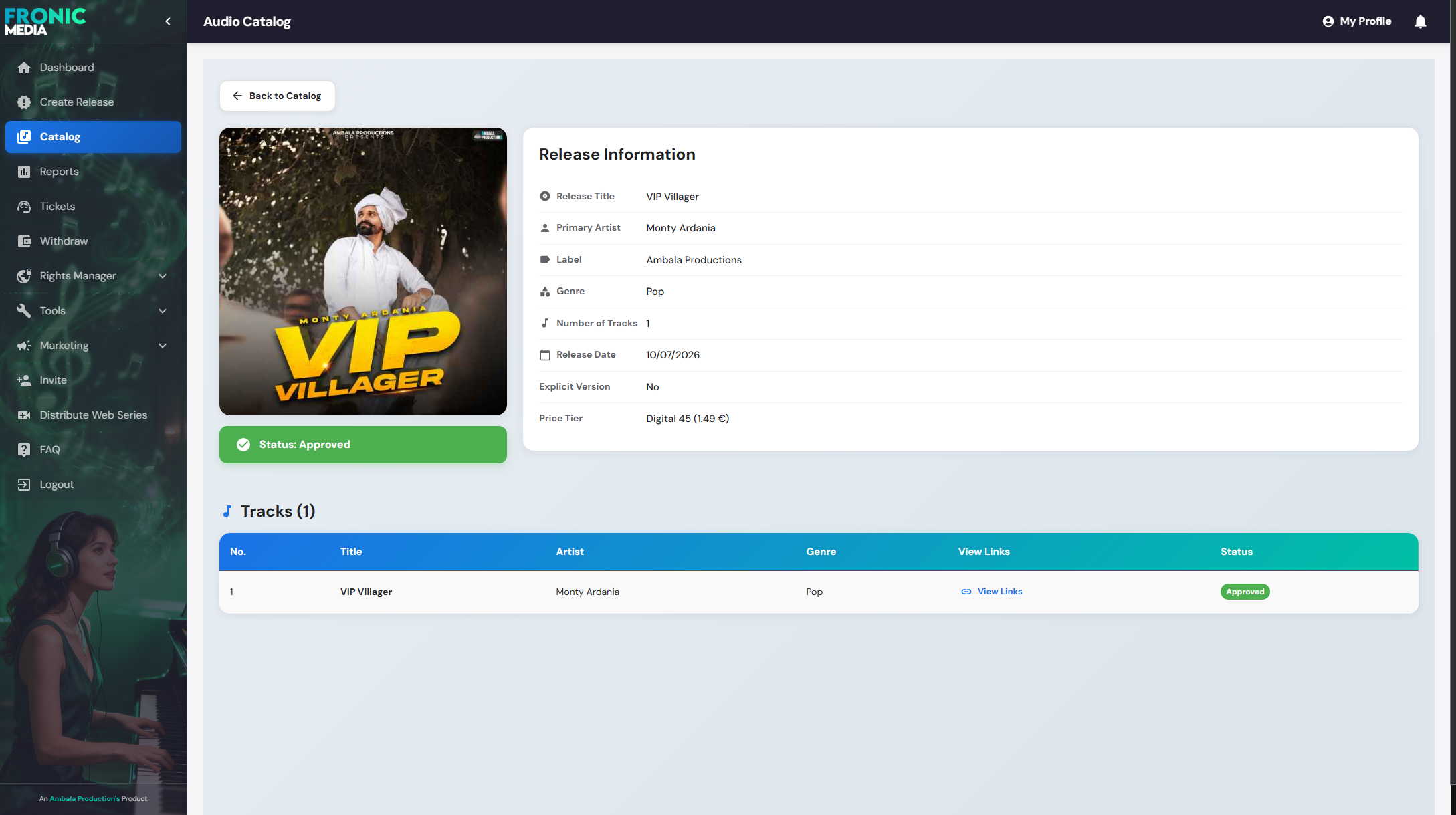
- Select the release for which you want to fetch streaming links.
Your release page will look similar to the image below.
Step 2: Open the Links Section
Click View Links.
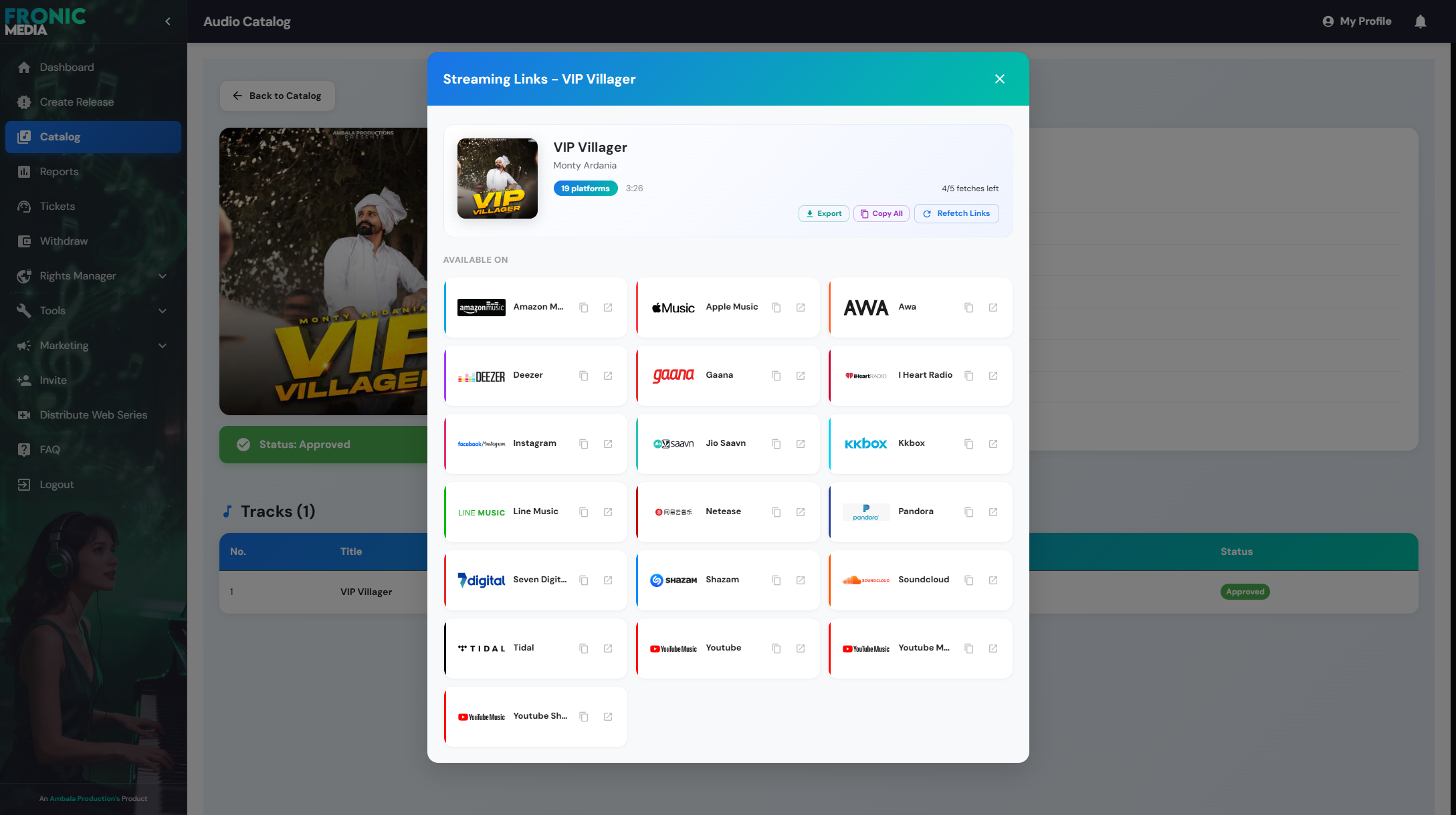
You will see an option to Fetch Links.

Step 3: Fetch the Links
Click Fetch Links.
The system will get the available music streaming links. This process usually takes around 10 seconds.
Important Notes
- Your release must be approved before streaming links can be fetched.
- You cannot fetch links before the scheduled release date, as the platforms have not yet made the content publicly available.
- Each release can have its links fetched a maximum of 5 times.
- Once the links have been successfully retrieved, they are saved permanently in the system. You do not need to fetch them again unless necessary.
Export or Copy Links
After the streaming links have been fetched successfully, you can:
- Copy the links directly to your clipboard.
- Export all links as a Text (.txt) file.
If you continue to experience issues, please contact the support team at support@fronicmedia.com